Menu widget
The Menu widget turns a page into a clear navigation hub: buttons into backoffice sections, tabbed areas inside a portal, accordion FAQs, or colourful card launchers for non-technical users. Good menus reduce training time — people find the right screen without memorising URLs.
Typical scenarios:
- a home page with cards for “New request”, “My tickets”, and “Reports”;
- horizontal tabs that switch between related sub-pages without leaving the layout;
- an accordion of policy sections that should open all at once for printing or review;
- role-aware menus that hide or disable items operators must not see.
Display styles
Configure Display as:
| Style | Best for |
|---|---|
| Buttons | Simple lists of actions |
| Cards | Visual launch pads (optional description, colour, and icon per item) |
| Tabs | Switching sub-pages in place |
| Accordion | Stacked sections opened on the same page |
For accordion menus you can:
- enable Open all sections so every panel starts expanded, or
- choose a Section to open automatically when only one should start open
- How to configure it in the builder
- How it looks like in the resulting app
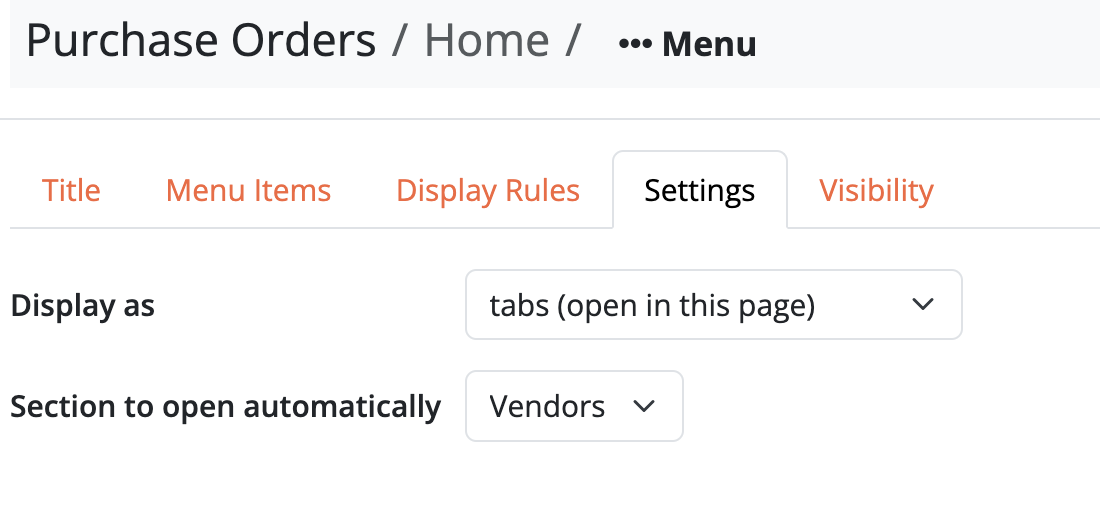
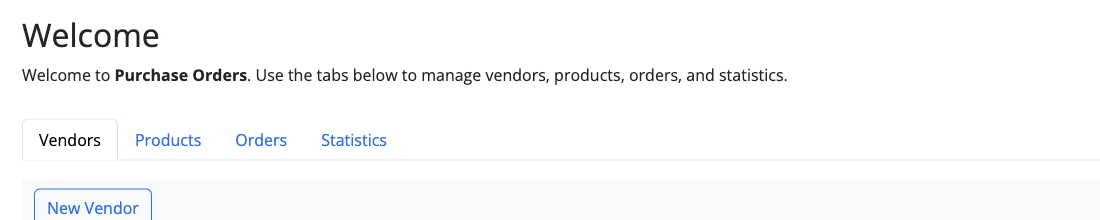
Buttons
A compact row (or stack) of action links — best when every destination is equally important and you do not need descriptions.

Cards
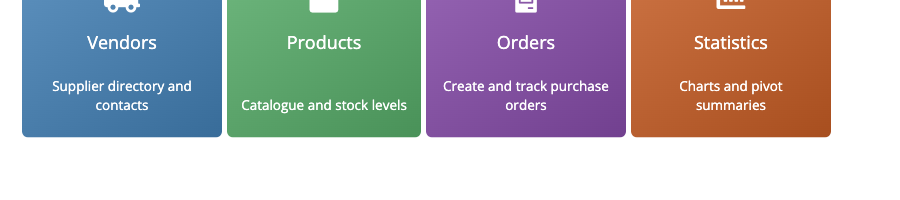
Each item becomes a coloured card with optional icon and description — ideal for a portal home where people scan before they click.
Tabs
Tabs keep child pages on the same screen. The active tab’s page is embedded under the menu.

Accordion
Stacked sections that expand in place — useful for FAQs, policy packs, or dense hubs where only one section should dominate at a time.

Menu items
Each item links to a page of your app. Depending on the style, you can set labels and (for cards) description, colour, and icon so the entry explains itself before the click.
When a Tabs (or similar) menu creates a new child page for an item, that page is hidden from breadcrumbs by default so tab destinations do not clutter the trail. You can turn breadcrumb visibility back on in the page settings.
With Tabs or Accordion, if a tab (or section) contains a form with unsaved edits, Bobuild shows a small dirty hint on that control and asks for confirmation before switching away — so operators do not lose in-progress input.
Display rules
Display rules change menu items from record or login context — for example hide “Approve” unless the current request is pending, or grey out a section the user is not allowed to open yet.
Available actions:
- Hide — remove the item from the menu when the condition matches
- Disable — show the item but make it non-clickable
- Set color — emphasise or warn with colour
- Rename — change the label dynamically
Use rules to keep one menu definition for everyone while still enforcing permissions and workflow state — fewer duplicate pages, fewer mistakes.