Custom domains
By default each app is reachable at https://APPNAME.bobuild.com/. You can attach a custom domain (for example portal.your-company.com) so customers stay on your brand.
Example
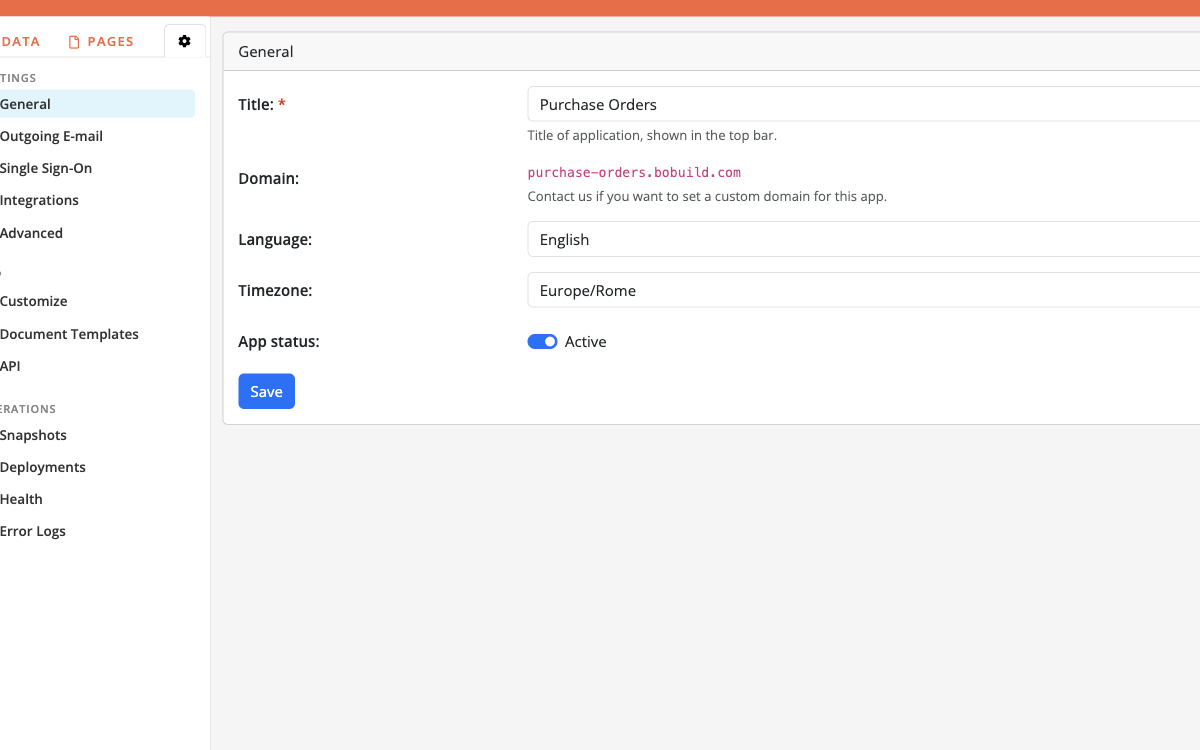
Cloud vs Enterprise
| Edition | How domains are set |
|---|---|
| Bobuild Cloud | Custom domains are arranged with us — contact support after you know the hostname and target app |
| Bobuild Enterprise | You can set the host in App settings (Domain field) according to your deployment |
The Domain field in Settings always shows the app hostname; on Cloud, treat custom hostnames as a coordinated change (DNS + TLS + Bobuild routing).
What to prepare (Cloud)
- Choose the hostname (
app.example.comorportal.example.com). - Decide which Bobuild app it should serve (production, not staging).
- Be ready to create the DNS records we send you (typically a CNAME or similar to Bobuild’s edge).
- Confirm whether HTTP→HTTPS redirect and www vs apex are required.
We enable TLS for the custom hostname as part of the setup.
App behaviour after switch
- Bookmarks to
*.bobuild.commay still work depending on configuration — ask us what to expect for your case. - Update links in e-mail templates, WordPress embeds, and API clients to the new host.
- Embed codes should use the domain you want visitors to see.
- Login redirects and SSO callbacks must allow the custom host — mention SSO if you use Google/Microsoft/SPID.
E-mail and SPF
Sending from addresses on your domain is separate from web custom domains. For outbound mail, see Outgoing E-mail (SPF / SMTP).