Rich Text widget
The Rich Text widget shows a block of formatted content on a page — introductions, instructions, legal notices, or help text. The copy is written in the Builder; you can also inject values from a record with placeholders.
Typical scenarios:
- a short welcome message on a portal home page;
- step-by-step instructions above a form;
- a privacy or accessibility note that should appear on every visit to that screen;
- a heading that includes the current record’s name or the logged-in user’s details;
- a callout (info, warning, or success) that draws attention to an important message.
For a structured layout of many fields, use a Detail widget. For fully custom interactive HTML, prefer a Custom View.
- How to configure it in the builder
- How it looks like in the resulting app
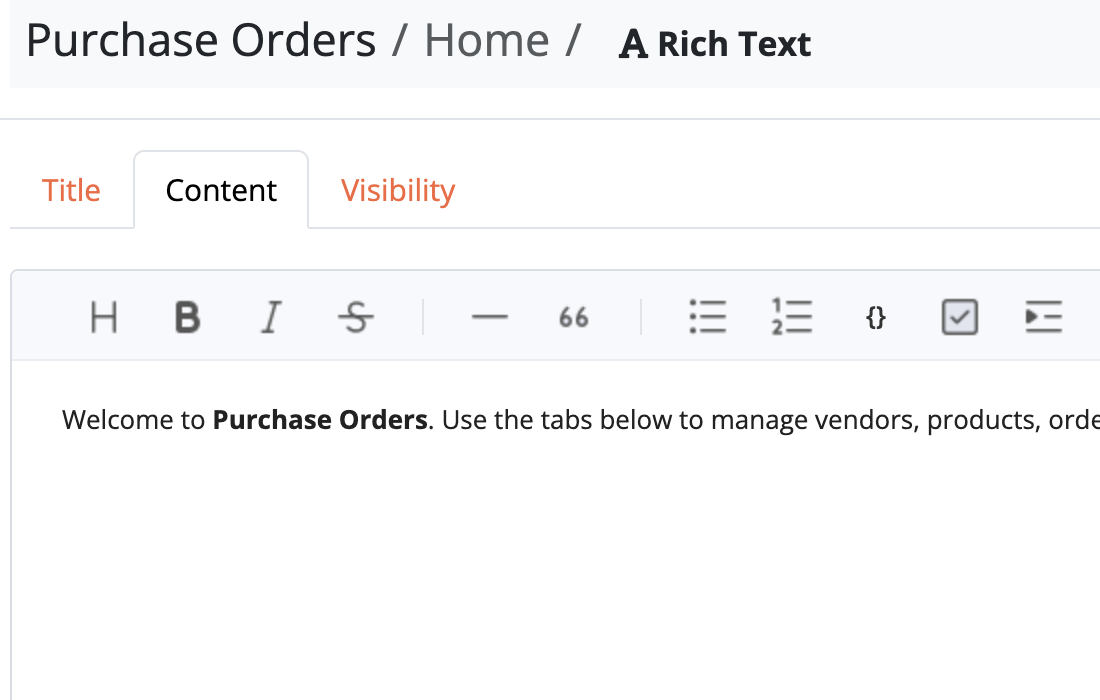

Editing content
Open the widget and edit the text in the rich editor (formatting, lists, links, and so on).
New Rich Text widgets use Markdown syntax.
Like other widgets, Rich Text supports title, width, and visibility rules so you can hide instructions when they no longer apply.
Appearance
Appearance controls how the block is presented on the page:
| Value | Effect |
|---|---|
| Plain | Normal body text (default) |
| Info | Blue callout with an info icon |
| Warning | Amber callout with a warning icon |
| Success | Green callout with a success icon |
Use callouts for notices that should stand out next to forms or grids; keep Plain for long introductions and help text.
Info

Warning

Success

Placeholders
To insert field values into the text, set Placeholder source to a record available on the page (the current page record, the logged-in user, or another source the page already exposes). Leave it at None if the text should stay the same for every visitor.
Write {field} tags in the editor — the same syntax as placeholders in e-mails and auto fields. Click {} to copy a tag from the fields of the chosen source, then paste it into the text.
Examples:
Welcome back, {name}.
Invoice {number} for {customer.name}.
When the page loads, Bobuild replaces each valid tag with the value from that record. If no matching record is in scope, those tags are left blank. Unknown tags are left as written.